A scanned PDF has no text in it. It is a photograph of a page in a PDF wrapper, which is why search finds nothing and selection highlights nothing. Getting the text out means running OCR, and on a Mac you have four options that never touch the network.
I ran three scans through all four: Apple's Vision recognizer (the engine behind Live Text and Preview's Embed Text), Tesseract 5.5.3, and the two local vision-language models ZenOCR ships, DeepSeek-OCR-2 and GLM-OCR. Every output below is verbatim, and the first scan is one where the free tools are entirely sufficient. The app is on the homepage.
If what you actually need is a searchable PDF, stop here
A lot of people searching for this want something specific: a file that is still a PDF, opens in the same viewer, and now responds to Cmd-F. That is a text layer written back into the PDF, and it is a different job from extracting text.
macOS does it for free. Open the scan in Preview, choose File > Export, and tick Embed Text. Preview runs Vision over every page and saves a copy with an invisible text layer behind the image. It looks identical and it is searchable. For batches, or for pages where Preview quietly does nothing, Adobe Acrobat does the same thing more reliably and charges a subscription for it.
ZenOCR does not do this. It outputs text and Markdown; it does not write anything back into a PDF. If a searchable PDF is what you need, use Preview and close this tab.
Everything below is for the other case: you want the words themselves, as text you can paste, edit, search, or feed to something else.
Which kind of scan do you have
python3 -c "import pdfplumber,sys; print(len(pdfplumber.open(sys.argv[1]).pages[0].extract_text() or ''))" file.pdf
Zero means a genuine scan. After that, condition is what decides the tool: clean printed page, damaged old paper, or awkward typewriter impression. I tested one of each, all at 300 DPI.
Scan 1: an ordinary contract, where everything works
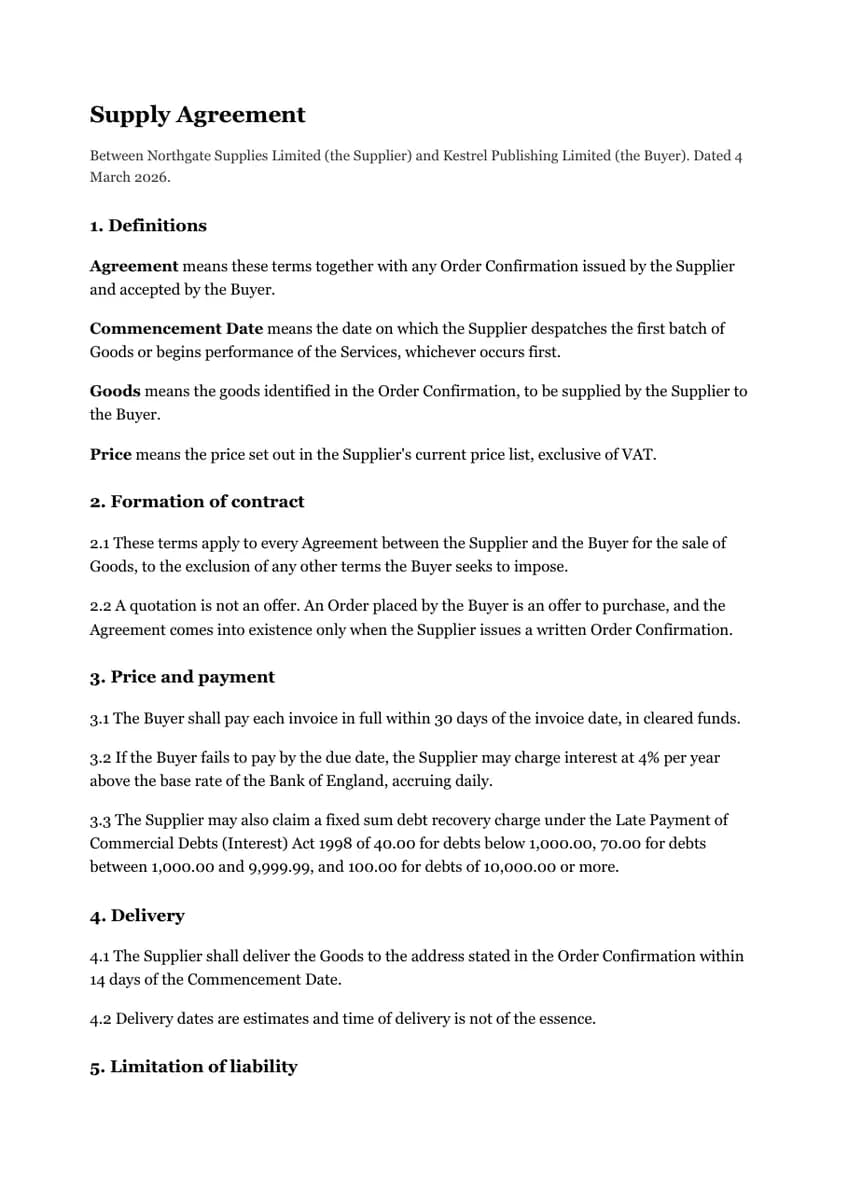
3.3 The Supplier may also claim a fixed sum debt recovery charge under the Late Payment of
Commercial Debts (Interest) Act 1998 of 40.00 for debts below 1,000.00, 70.00 for debts
between 1,000.00 and 9,999.99, and 100.00 for debts of 10,000.00 or more.
Word for word correct. It breaks lines where the page breaks them, so the clause arrives as three lines rather than one paragraph.
3.3 The Supplier may also claim a fixed sum debt recovery charge under the Late Payment of Commercial Debts (Interest) Act 1998 of 40.00 for debts below 1,000.00, 70.00 for debts between 1,000.00 and 9,999.99, and 100.00 for debts of 10,000.00 or more.Also word for word correct, rejoined into one paragraph, with the section headings emitted as Markdown headings.
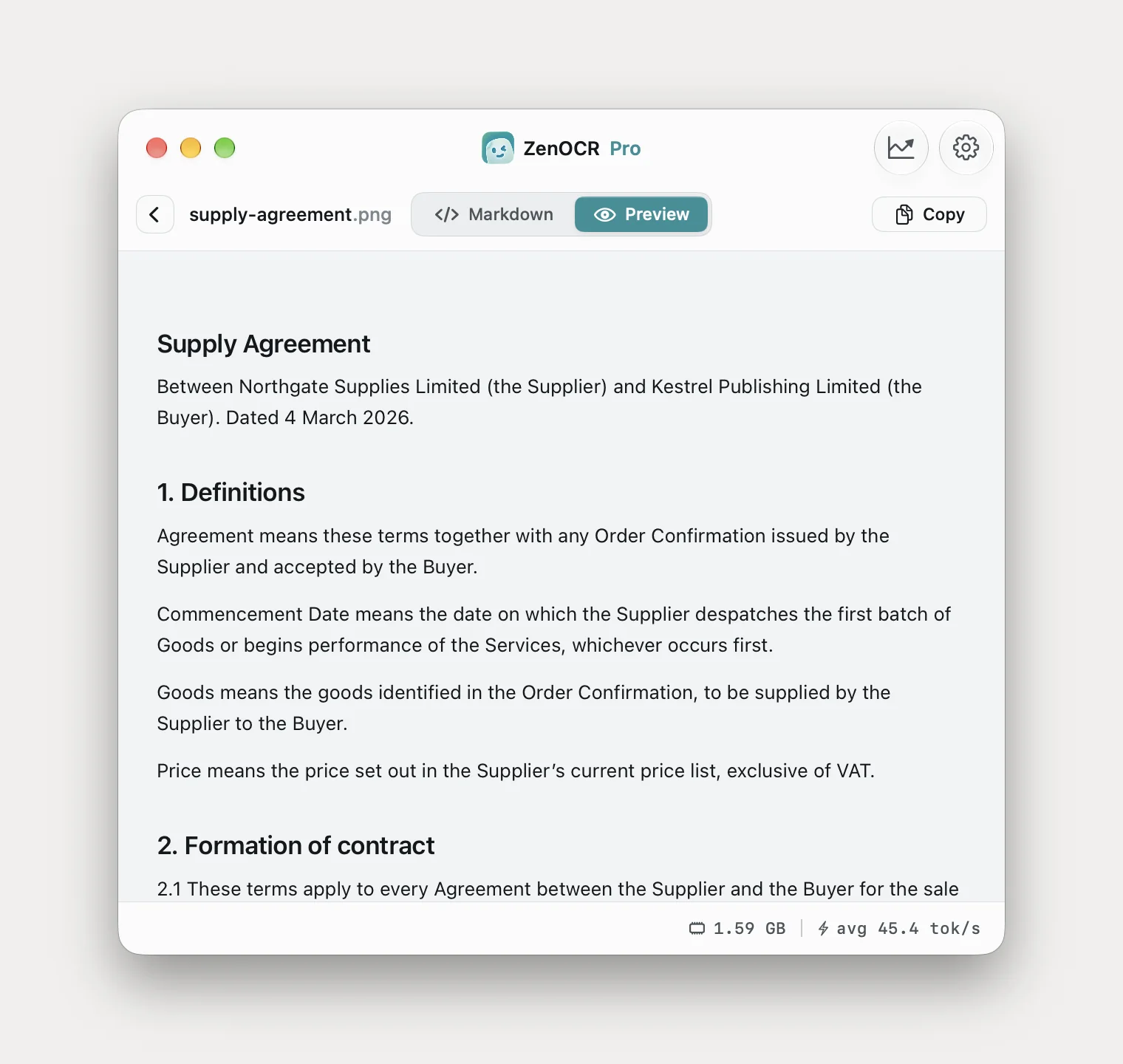
Over the whole page DeepSeek-OCR-2 came out at 100% word accuracy against the source, and so did Vision. Tesseract matched both. On a clean 300 DPI scan of printed text, the free engine on your Mac is genuinely enough, and any article that tells you otherwise is selling something.
The difference is structure, not characters. Vision returns lines as they sit on the page; DeepSeek-OCR-2 returns paragraphs, headings and the defined-terms block with each term attached to its definition. If you are pasting into a document that matters, that is worth something. If you just need the words, it is not.
Scan 2: a stained page from an old book
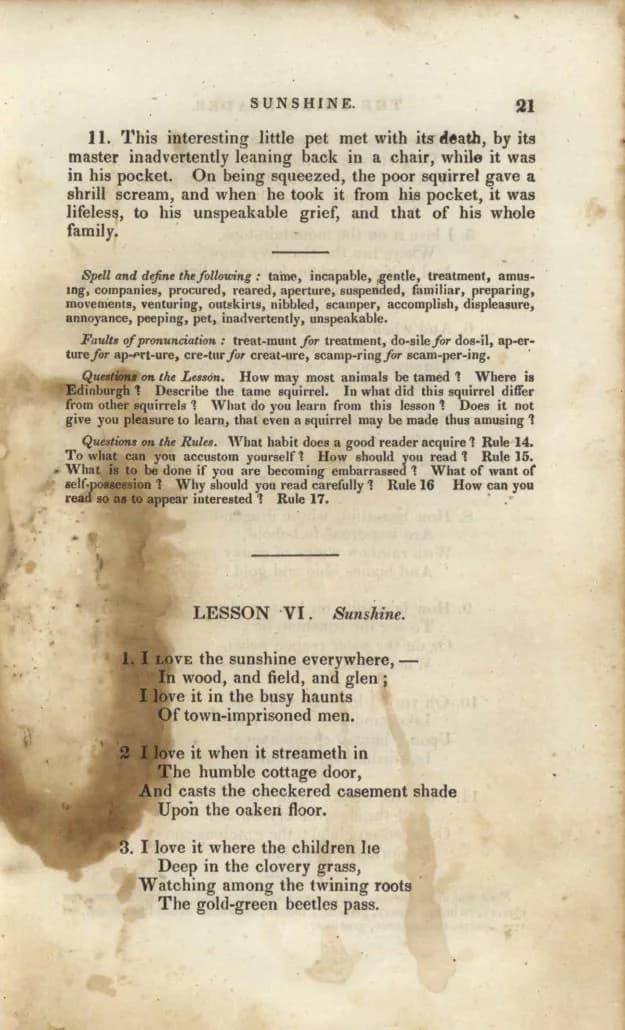
Farlts of pronunciation: treat-munt for treatment, do-sile for dos-il, ap-er-
ture for ap-ert-ure, cre-tur for creat-ure, scamp-ring for scam-per-ing.
To what can you accustom yourself? How should you read 1 Rule 15
What is to be done if you are becoming embarrassed? What of want of
sell-possession 1 Why should you read carefully ?
Faults became Farlts, self-possession became sell-possession, two question marks became the digit 1, and hyphenated words stay split across the line break.
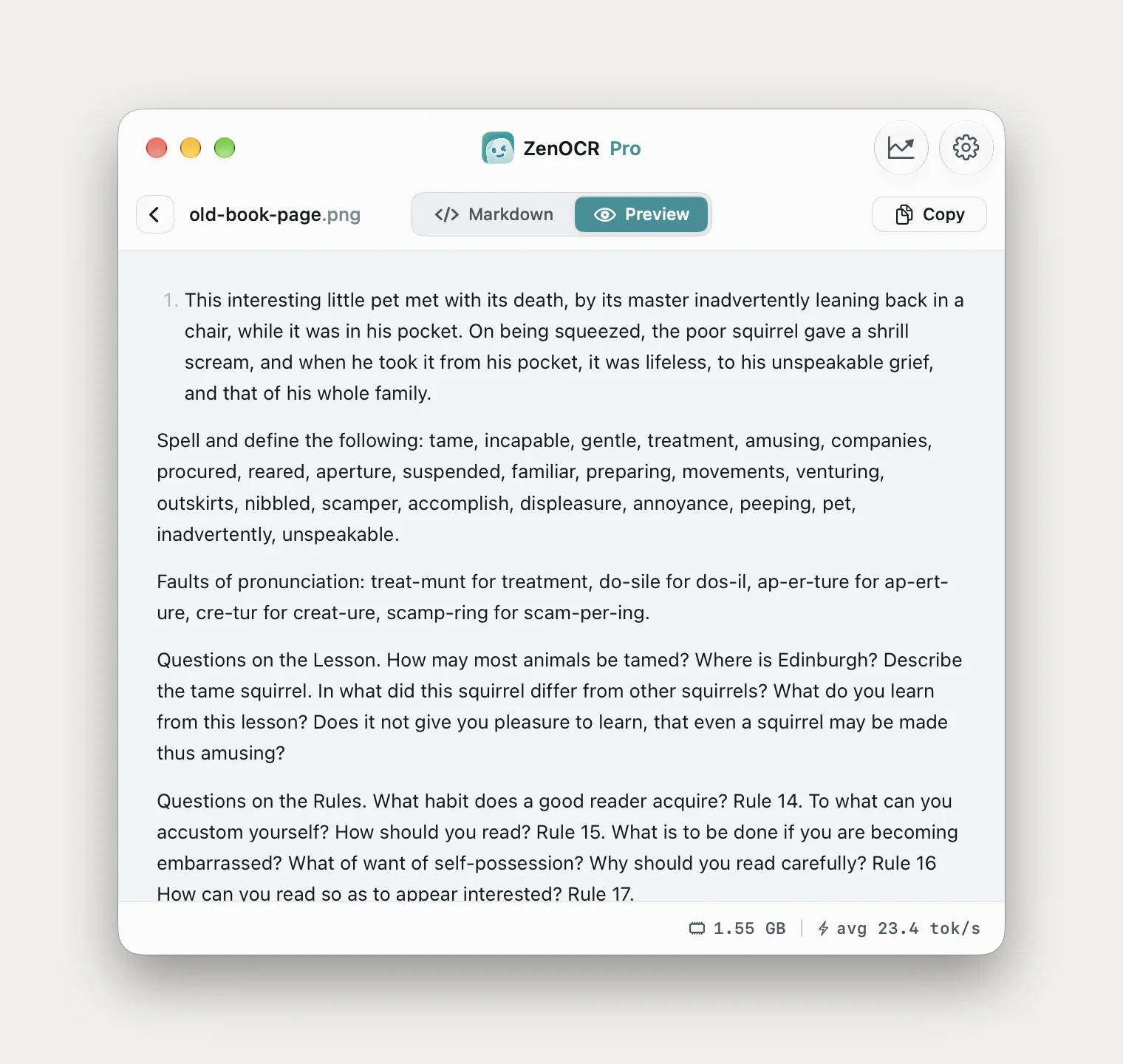
Faults of pronunciation: treat-munt for treatment, do-sile for dos-il, ap-er-ture for ap-ert-ure, cre-tur for creat-ure, scamp-ring for scam-per-ing.

Questions on the Rules. What habit does a good reader acquire? Rule 14. To what can you accustom yourself? How should you read? Rule 15. What is to be done if you are becoming embarrassed? What of want of self-possession? Why should you read carefully?
All three character errors fixed and the hyphenation rejoined. It dropped the running head and the page number 21, which Vision kept.
Vision also dropped the word preparing from the spelling list without any indication that it had. That is the failure mode to watch on damaged paper: not a garbled word you can spot, but a missing one you cannot.
Scan 3: a 1927 affidavit
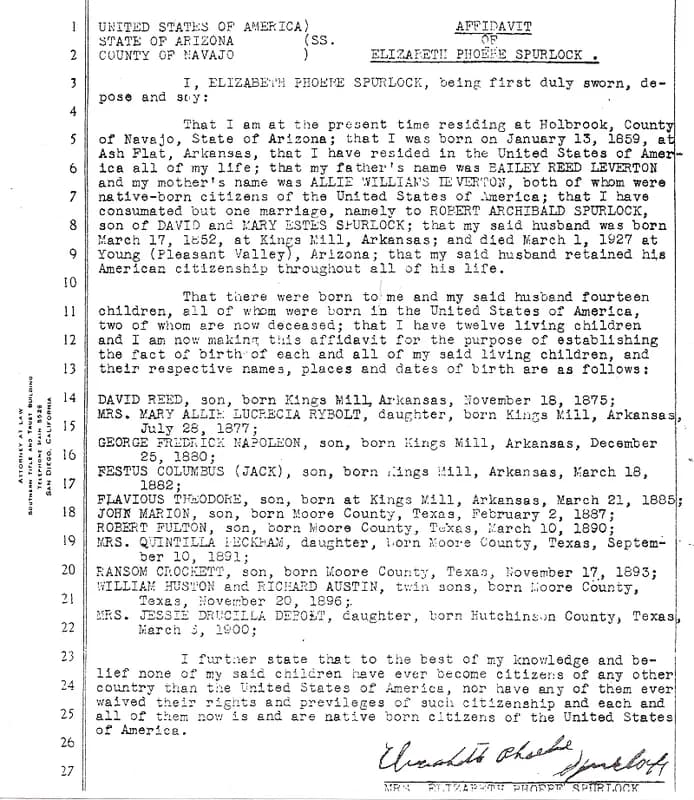
yw STATES OF AMBRICA)
STATE OP ARIZONA (ss.
2]) couwry oF vavazo )

3 T, ELIZABEW
pose and sey:
Unusable, and obviously so. On a page this uneven, shape matching has nothing stable to match against.
FESTUS COLUMBUS (JACK), son, born Kings Mill, Arkansas,
1882;
FLAVIOUS THADORE, son, born at Kings Mill, Arkansas, March 21, 1885;
JOHN MARION, son, born Moore County, Texas, February 2, 1887;
RANSOM CROCKETT, son, born Moore County, Texas,
November 17, 1893;
WILLIAM HUSTON and RICHARD AUSTIN, twin sons, born Moore County,
Texas, November 20, 1896;
COLUMBUS, CROCKETT, HUSTON and the dates are right. THEODORE came out as THADORE, and two lines lost their month to the line wrap.
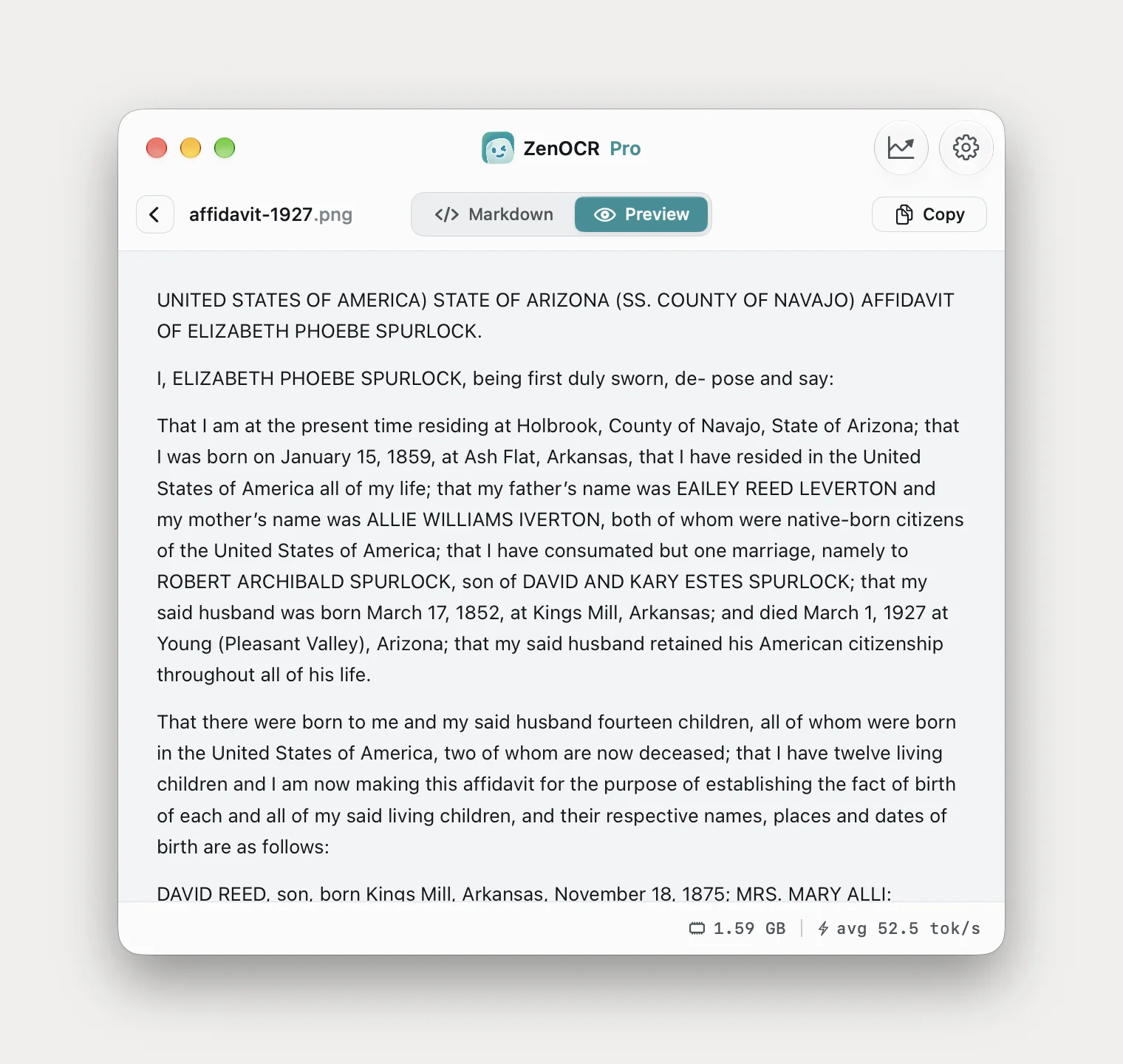
It also recovered the header block that the free engines mangle, including the affiant's name spelled correctly, and kept the document's own spelling of consumated rather than tidying it into consummated. Apple Vision on the same page produced that 7 have rest ded in the Unlie Sea tos d aney-.
This is the honest summary of scan 3: DeepSeek-OCR-2 is the only one of the four that produces something a person could work from, and it still gets names wrong. THEODORE came out THADORE, and the affiant's father, BAILEY REED LEVERTON on the page, came out EAILEY REED LEVERTON. On a document where the specific words are the point, OCR is the first pass, not the last one.
Two models, and picking between them
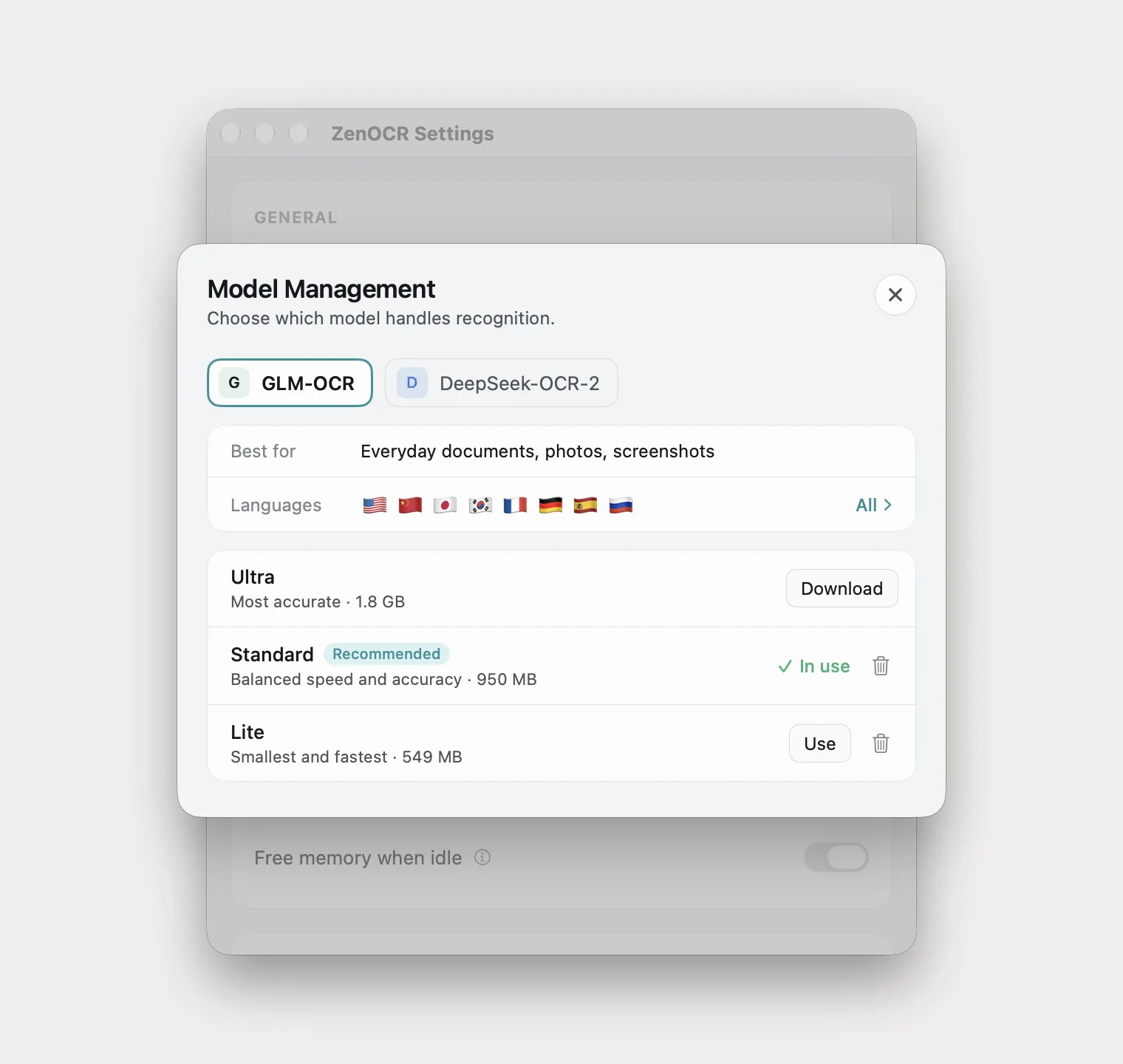
The picker is not decoration and the labels are accurate. DeepSeek-OCR-2 is described as best for clean documents, and it produced every clean-scan result above. GLM-OCR is described as working for almost anything, and it was the better of the two on the stained book page and on a crooked photocopy in the tables article.
If a page comes back worse than you expected, switching model is the first thing to try, before switching app.
For confidential files
The reason any of this is worth doing locally is that the alternative is uploading. Contracts, discovery documents, medical bills, tax returns and client files go to a third party's servers the moment you use a free online converter.
Everything in this article ran on one Mac with nothing sent anywhere. Preview's Embed Text is local. Tesseract is local. ZenOCR downloads its models once on first launch and then never contacts the network again.
That is a statement about where the bytes go, and it is the only kind of statement worth making. It is not a certification and this article makes no compliance claim; if your obligations require one, that assessment is yours and your firm's.
Doing it on a Mac
Drop the file onto ZenOCR and press Start OCR. Leave the model on DeepSeek-OCR-2 for clean scans; switch to GLM-OCR for damaged or crooked pages.
If you are going to paste the result somewhere structured, open Settings and turn off Keep formatting when copying. With it on, the copy is converted to rich text for Mail and Word; with it off you get the raw Markdown exactly as the model produced it.
What this will not do
- No searchable PDF. Text and Markdown out, nothing written back into the file. Preview's Embed Text or Acrobat, as above.
- Not a proofreader. It got several names wrong on scan 3 while reading fluently. Check any scan where the specific words matter.
- Not a reason to stop using Preview. Scan 1 is in this article because the free engine matched the paid one on it.
- macOS 14 or later, Apple Silicon for AI mode. Intel Macs get Fast mode, which is Apple Vision. No Windows, no iPad, no web version.
What to actually use
| Your scan | Use |
|---|---|
| Clean printed page, you want a searchable PDF | Preview, File > Export, Embed Text. Free |
| Clean printed page, you want the text | Preview's Embed Text then copy, or Tesseract. Free |
| Clean page, you want headings and paragraphs, not lines | A local model |
| Faded, stained or damaged paper | A local model. This is the case it exists for |
| Old typewriter, uneven impression, handwriting | A local model, then read it against the original |
| Anything confidential | Any of the above. Not an online converter |
Related: what Preview's OCR can and cannot do, extracting tables from a scan when the structure matters more than the prose, and handwriting OCR on a Mac. The app is on the ZenOCR homepage.